OpenAI DevDay 2026: Key Takeaways for Builders
OpenAI held DevDay 2026 in San Francisco on 29 September and called it its biggest yet, with more than 20 major announcements across ChatGPT, Codex, models, and the API. The headline was Dots, a family of always on agents. The key takeaways for builders sit underneath it: OpenAI is moving from answering prompts to holding ongoing responsibilities.
What were the key announcements at OpenAI DevDay 2026?
The short answer: one new agent product, one cheaper model tier, a hosted agent runtime, a cloud version of Codex, and a much more open ChatGPT platform. The table groups the announcements that matter most to enterprise builders, using OpenAI’s own DevDay 2026 recap as the source for availability.
| Announcement | What it is | Availability at launch |
|---|---|---|
| Dots | Always on agents powered by GPT-6 Astra, each with its own cloud computer | Pro and Business Premium; Enterprise beta when an admin enables it |
| Specialist dots | Dots with their own identity and credentials for defined roles | Focused enterprise pilots |
| GPT-6.1 Sol | Upgrade to GPT-6 Sol for agentic coding, computer use, and professional work | API and ChatGPT |
| Ultrafast | Faster serving tier for GPT-6 Astra; Sol version coming soon | API, ChatGPT Work and Codex on Pro 500 and Enterprise |
| Agents API with computer use | Hosted agent runtime with multi agent support, tool search, and context compaction | API, Codex, and ChatGPT Work |
| Bedrock Managed Agents | OpenAI agents running entirely inside AWS | Via Amazon Bedrock |
| Decisions API | Luna focused on a fixed set of questions with predefined answers | Limited preview |
| Codex in the cloud, Code Review, Codex Security Cloud | Codex tasks, reviews, and security scans that run while your laptop is closed | Plus and above |
| Plugin extensions and MCP events | Sidebar panels, file viewers, and event triggered plugin automations inside ChatGPT | All plans |
| ChatGPT Space, Pages, teams | Shared workspaces and documents built for people and agents together | Pro, Business, and Enterprise |
| Private Intelligence | Zero Data Retention with Private Safety Processing; Private Inference preview this fall | Business customers |
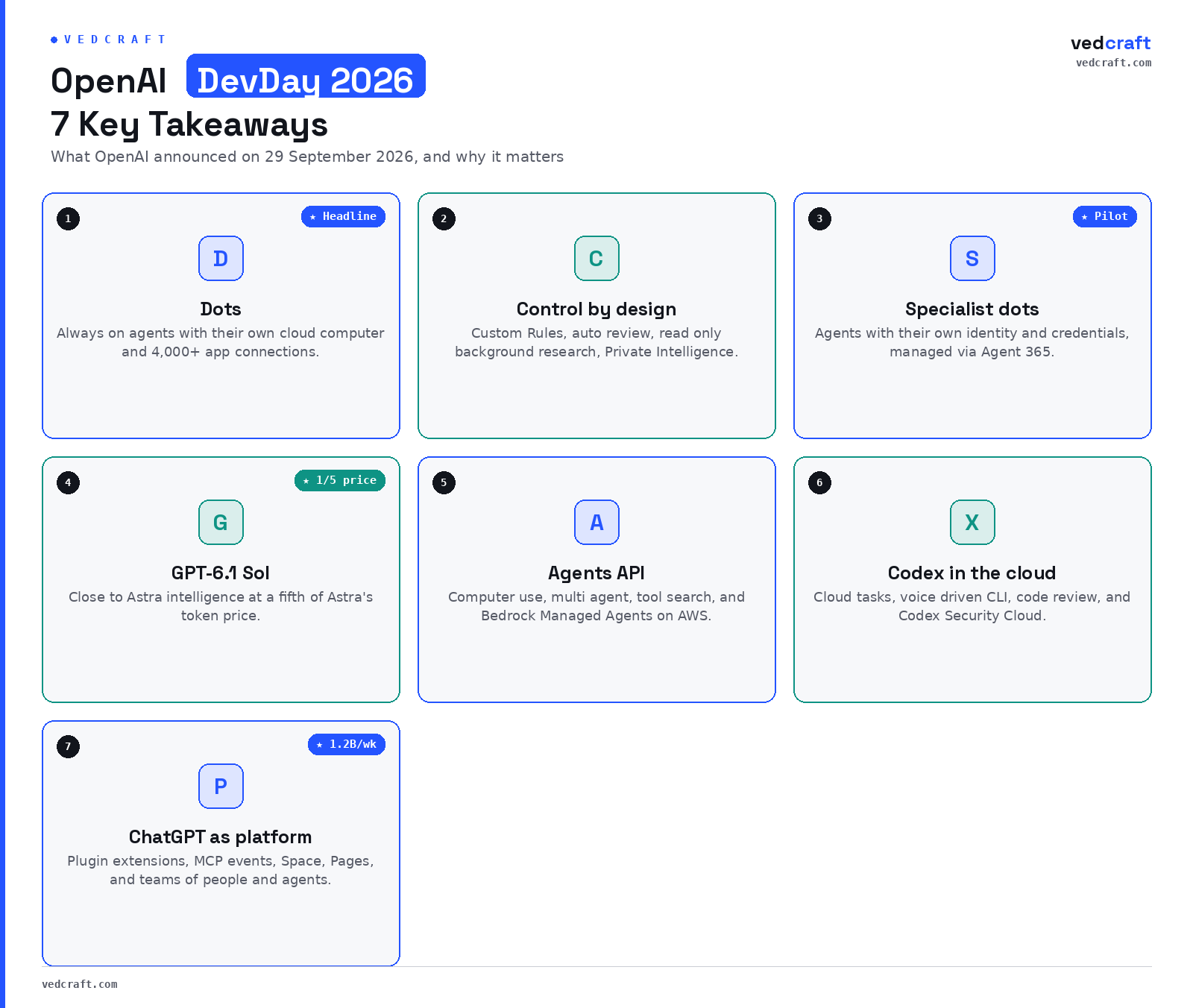
Takeaway 1: Dots turn always on agents into a product category
A dot is a persistent agent that works on your behalf in the background, learns your preferences from feedback, and messages you when it needs a decision. According to OpenAI’s Dots announcement, each dot runs on GPT-6 Astra, has its own cloud computer and browser, and connects to more than 4,000 apps through OpenAI’s plugin ecosystem.
The details that matter for how people will actually use it:
- Where it lives. You reach your dot in ChatGPT on desktop, web, and mobile, in Slack and Microsoft Teams, or on a voice call. Texting is coming soon, and context carries across every channel.
- How it works. A dot can run several projects at once, and you can open its cloud computer at any time to inspect the work. You can also give it permission to use your laptop.
- What it does unprompted. OpenAI calls background work “proactive research”, which uses connected apps through read only tools.
- How many you get. For now you start with one primary dot. OpenAI describes teams of dots and the ability to scale a dot’s speed or monthly workload as future plans.
The competitive context is explicit. The Verge frames Dots as OpenAI’s answer to Meta’s Muse, which launched weeks earlier and has drawn safety concerns, including one user report of Muse sharing their address with a Facebook Marketplace buyer without their knowledge. I read Dots as confirmation of a trend I covered in personal AI agents as the next frontier: the assistant is becoming a delegate, and the design problem shifts from answer quality to delegation quality.
Takeaway 2: Control and privacy are now part of the product, not the fine print
The most useful part of the Dots launch, from an enterprise point of view, is how much of it is about limits. OpenAI lists several safeguards:
- Each dot works on its own cloud computer, separate from your machine unless you connect it.
- Saved passwords can be used to sign in without being exposed to the model.
- Custom Rules let you allow an action, require approval, or block it, on top of built in safety requirements that always apply.
- Auto review checks actions that could affect accounts or share information against your instructions and rules, and certain sensitive tasks, such as changing a password, always stay with you.
- Activity View shows progress, including background work, and monitoring can pause or stop a dot if it detects a safety concern.
Alongside this, OpenAI announced Private Intelligence: Zero Data Retention with Private Safety Processing, which runs automated safety reviews without giving OpenAI staff access to the underlying content, and a Private Inference preview based on confidential computing.
My view: these controls are necessary but not sufficient. OpenAI itself says dots can still make mistakes and that consequential work needs review. For regulated industries, the real question is whether these controls map cleanly onto your existing approval matrices, audit trails, and data classification. That mapping is architecture work you still own.
Takeaway 3: Specialist dots treat agents as digital workers with identity
Specialist dots are the enterprise variant. Your company gives each one its own identity, credentials, and access to the systems it needs to perform a defined role. OpenAI says it has tested this internally across procurement, invoice processing, email marketing, customer support, and commercial contracting, and is starting with pilots where its engineers help define responsibilities, tools, and review steps.
OpenAI is also working with Microsoft to manage specialist dots through Agent 365, so governance and security run through tools many enterprises already use.
This is the announcement with the longest tail for architects. Once an agent has its own identity, it needs the same lifecycle as any worker account:
- Provisioning and scoping. Least privilege access per role, not a shared service account.
- Accountability. A named human owner for every agent and every approval path.
- Observability. Logs that attribute each action to the agent identity that took it.
- Offboarding. A clean way to revoke credentials when the role changes.
If your identity and access management program is not ready for nonhuman workers, that is the gap to close before any pilot.
Takeaway 4: Model economics keep shifting toward cost per task
GPT-6.1 Sol is a major upgrade to GPT-6 Sol, with OpenAI claiming exceptionally strong performance on agentic coding, computer use, and professional work, and close to Astra intelligence at a fifth of Astra’s standard token prices. That continues the pattern I described in the Claude Opus 5.5 vs GPT-6 Sol comparison: vendors now compete on price per completed task as much as on peak capability.
Two smaller launches reinforce it:
- Ultrafast is a faster serving tier for GPT-6 Astra, with a GPT-6.1 Sol version coming soon. Speed becomes something you pay for explicitly rather than a side effect of model choice.
- Decisions API focuses Luna on user defined questions with a finite set of answers, for classification, request routing, or choosing an agent’s next step.
The practical implication is model routing. A well designed agent system will send classification to something like Decisions API, most reasoning to Sol, and reserve Astra or Ultrafast for the steps where quality or latency actually changes the business outcome. Benchmark the routing on your own workloads before you commit; vendor claims are a starting point, not evidence.
Takeaway 5: The Agents API makes the runtime a managed service
The Agents API now supports computer use, so agents can operate software through its interface. It also brings Codex’s multi agent capabilities, tool search, tool calling, and context compaction into your own application, with OpenAI running the infrastructure. For AWS shops, Bedrock Managed Agents packages the same core capabilities to run entirely inside AWS and integrate with AWS resources.
This changes the build versus buy question for agent platforms:
| Dimension | Managed runtime (Agents API, Bedrock Managed Agents) | Self managed orchestration |
|---|---|---|
| Suitable for | Teams that want to ship agent features quickly | Teams with strict portability or residency needs |
| Benefits | Less infrastructure, vendor maintained tooling | Full control over models, memory, and routing |
| Limitations | Tighter coupling to one provider’s model and roadmap | More engineering and operational effort |
| Key risk | Lock in and changing terms | Falling behind on capability |
If you are designing this layer, the patterns in emerging multi agent orchestrator system design patterns still apply; the managed runtime simply moves some of them to the vendor.
Takeaway 6: Codex moves off the laptop and into the cloud
Codex had its own set of updates. Codex in the cloud runs tasks from a computer, a phone, or any device, with reusable development environments that carry approved settings and permissions. The refreshed Codex CLI adds voice control, an /agents view for tracking parallel tasks, and better worktree and session resume workflows. A new Code Review experience in the ChatGPT desktop app summarises diffs across GitHub pull requests and GitLab merge requests, with automatic first pass reviews in the cloud. Codex Security Cloud scans whole GitHub repositories on demand or on a schedule, investigates findings, removes duplicates, and prepares fixes.
For engineering leaders, the combination matters more than any single feature. Coding agents are becoming background workers that open pull requests, review them, and scan for vulnerabilities while the team focuses on design. That raises the bar on review discipline, branch protection, and test coverage, because more code will arrive without a human typing it. My roundup of AI coding agents is a useful baseline for comparing where Codex now sits.
Takeaway 7: ChatGPT becomes a platform where people and agents share work
OpenAI says ChatGPT reaches 1.2 billion weekly users, and DevDay opened it further to developers and teams:
- Plugin extensions give a plugin a home in the sidebar, interactive panels next to the conversation, and viewers for its file types.
- MCP events add support for the proposed MCP Events specification, so a plugin can trigger an automation when something happens in a connected app.
- Sites can now host plugins, with each teammate using their own data and permissions.
- ChatGPT Space, Pages, collaborative slides, and team tasks give people, ChatGPT, and dots shared places to build on the same knowledge.
- @ChatGPT in Slack and Microsoft Teams answers mentions in channels and threads using connected tools.
The strategic read is distribution. For software vendors, a plugin inside ChatGPT is becoming a channel in its own right. For enterprises, it means ChatGPT is less a chat tool and more a work surface that needs the same governance as any collaboration platform. Standardising on Model Context Protocol (MCP) for your internal tools is a sensible hedge either way, because it keeps those integrations reusable across agent platforms rather than locked to one.
How should enterprise teams respond to DevDay 2026?
Start with governance and one bounded use case, not a broad rollout. A practical sequence:
- Pick one recurring, reviewable workflow, such as invoice follow up or support triage, where a delegate agent’s output is easy to check.
- Map agent actions to your approval matrix using Custom Rules and auto review, and document what always stays with a human.
- Treat agent identities like employee accounts, with owners, least privilege, logging, and revocation.
- Set a routing policy across Luna, Sol, and Astra based on measured cost per task, not headline prices.
- Keep integrations portable through MCP so a change of agent platform does not mean rebuilding every connector.
Key Questions
Q1) What are OpenAI Dots?
Dots are always on AI agents from OpenAI, announced at DevDay 2026. Each dot runs on GPT-6 Astra with its own cloud computer, connects to more than 4,000 apps, learns preferences from feedback, and works in ChatGPT, Slack, and Microsoft Teams.
Q2) Who can use Dots today?
Dots are rolling out to ChatGPT Pro and Business Premium users in eligible markets, and Enterprise, Edu, and Healthcare workspaces can try the beta when an admin enables it. Specialist dots are in focused enterprise pilots.
Q3) How are Dots different from Meta’s Muse?
Both are always on personal agents with customisable avatars and a messaging style interface. Dots lean into work: Slack and Teams access, specialist dots with their own identity, Custom Rules, auto review, and a planned Microsoft Agent 365 integration.
Q4) What is GPT-6.1 Sol?
GPT-6.1 Sol is an upgrade to GPT-6 Sol that OpenAI says delivers close to GPT-6 Astra intelligence on agentic coding, computer use, and professional work, at a fifth of Astra’s standard token prices.
The bigger picture
DevDay 2026 was less about a single model and more about where AI work happens: in the background, across the apps you already use, under rules you set. For builders, the opportunity is real, and so is the operating work of identity, approval, routing, and review that comes with it. I would be interested to hear how other practitioners are scoping their first delegate agent pilots, and which controls they are finding hardest to get right.